1. Use the "أداة الترجمة والتحويل" to convert an Avid DS (Subcap) subtitle file into a Final Cut 7 XML marker file
Open the free أداة الترجمة والتحويل, select "Avid DS (Subcap)" and set "convert" to "Adobe Premiere Pro > Sequence (.xml)". Generate and download the file. إذا واجهت مشكلات في تحويل الملف، يمكنك التواصل مع الدعم المجاني.
2. Import the Final Cut 7 XML marker file into Adobe Premiere Pro
To import timeline markers, go to "File -> Import" and select the XML file.
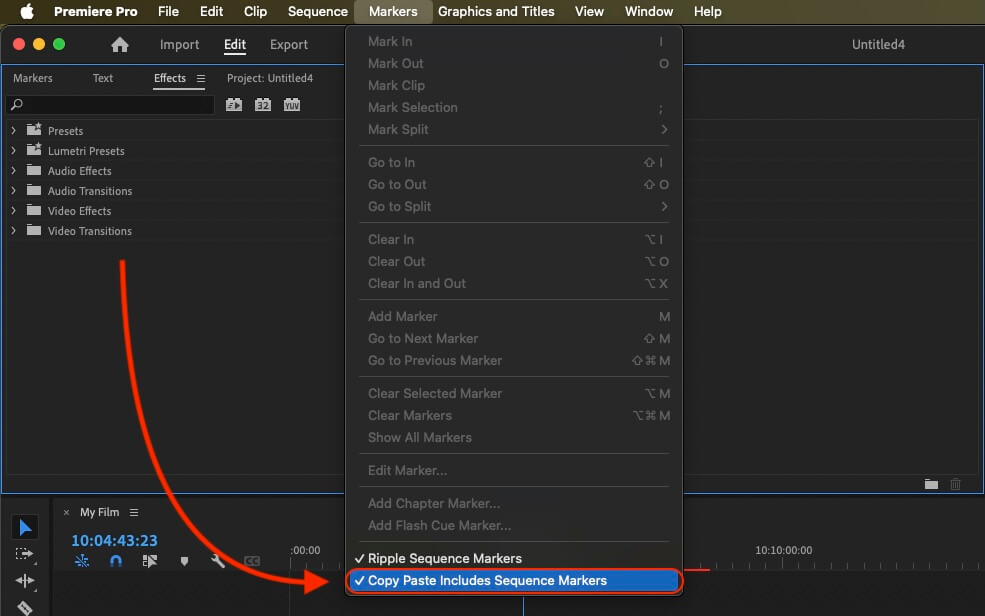
If you want to copy these markers into the existing sequence, use the adjustment layer or any other video as placeholder. Then copy the clip and switch to your existing sequence. Move the cursor to the location, where the adjusmtent layer or first marker appeared in the other sequence. Then past it. It will only copy the timeline markers if under setting (in the Markers menu) the option "Copy Paste Includes Sequence Markers" is active.
🚀 تم
هذا كل شيء الآن! إذا وجدت هذا الشرح مفيدًا، فيرجى مشاركته لدعمنا. وإذا كانت لديك أي اقتراحات حول كيفية تحسين سير العمل، فأخبرنا!